Stereo Camera Calibration: From MATLAB to OpenCV
Zhijian Qiao
This is an English translation of my Chinese article on Zhihu.
Both OpenCV and MATLAB can calibrate a stereo camera, and each has its advantages. OpenCV’s results are easier to load into a program, but calibration takes more work. MATLAB’s stereo calibration toolbox has a better user interface, but its results cannot be used directly in a CMake project. Here is a way to calibrate with MATLAB and load the results in OpenCV. The code is available too. Don’t forget to star it!
Calibration in MATLAB
Install MATLAB (I used version 2018a) and the calibration toolbox. Install the Image Processing Toolbox first, then the Computer Vision Toolbox. The following icon appears under Apps:
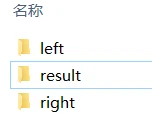
Collect images at different distances and orientations. Calibration is an optimization problem, so a larger and more varied set of samples can improve the result. Store the left and right images in separate left and right subfolders.
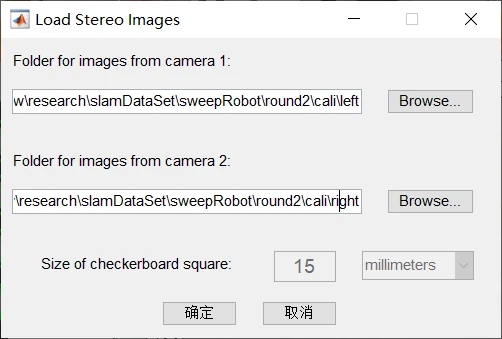
Import the images into the MATLAB calibration toolbox and set the checkerboard square size. MATLAB then detects corners automatically and removes incomplete images.
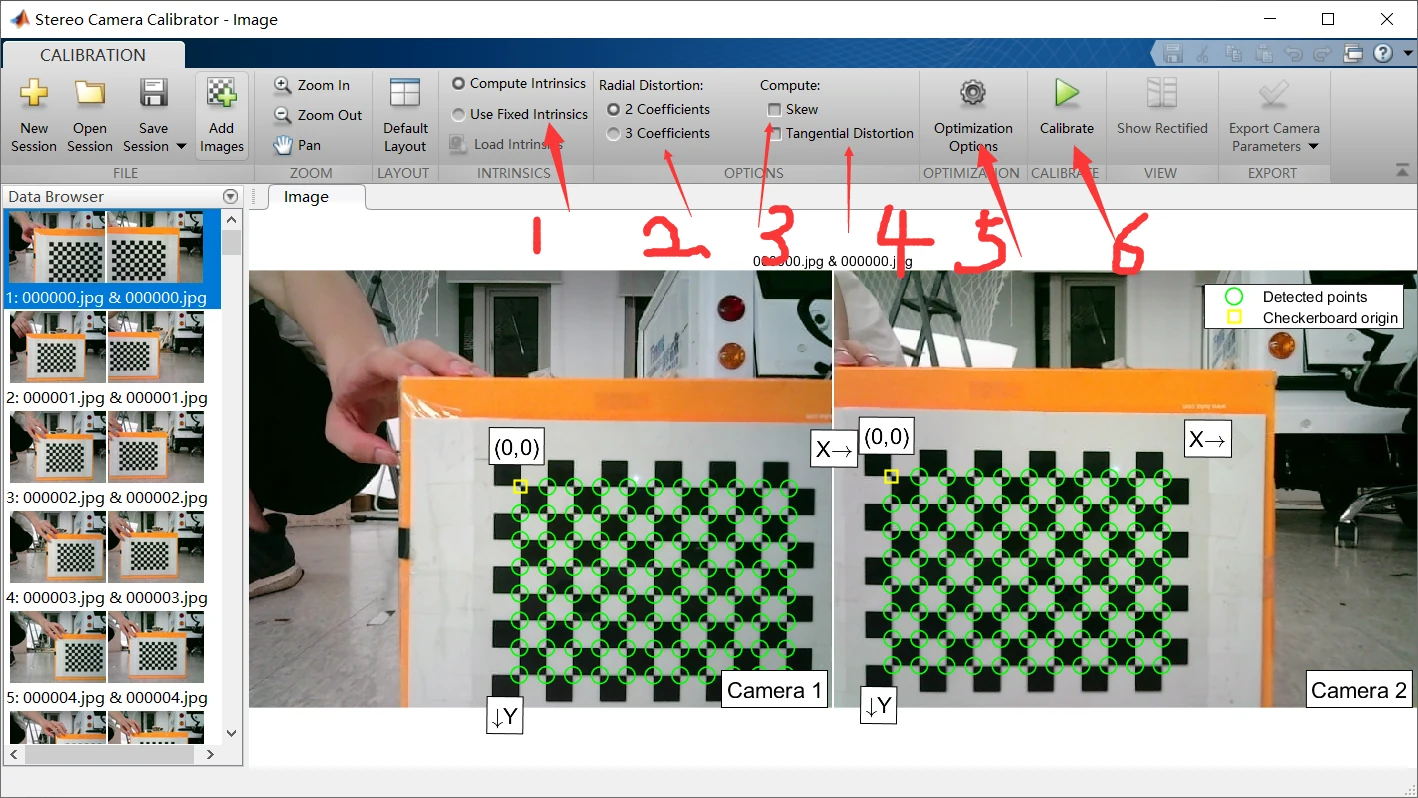
The calibration interface has these options:
- Whether to use previously calibrated camera parameters. If so, put them in the location indicated by arrow 5.
- Different distortion models. A three-parameter model is often more accurate.
- Whether the image-coordinate x and y axes are perpendicular. If selected, the intrinsic matrix changes slightly; you can compare it yourself.
- Whether to estimate tangential distortion.
- Initial parameters for optimization (the intrinsic matrix).
- Start calibration.
After calibration, inspect the results:
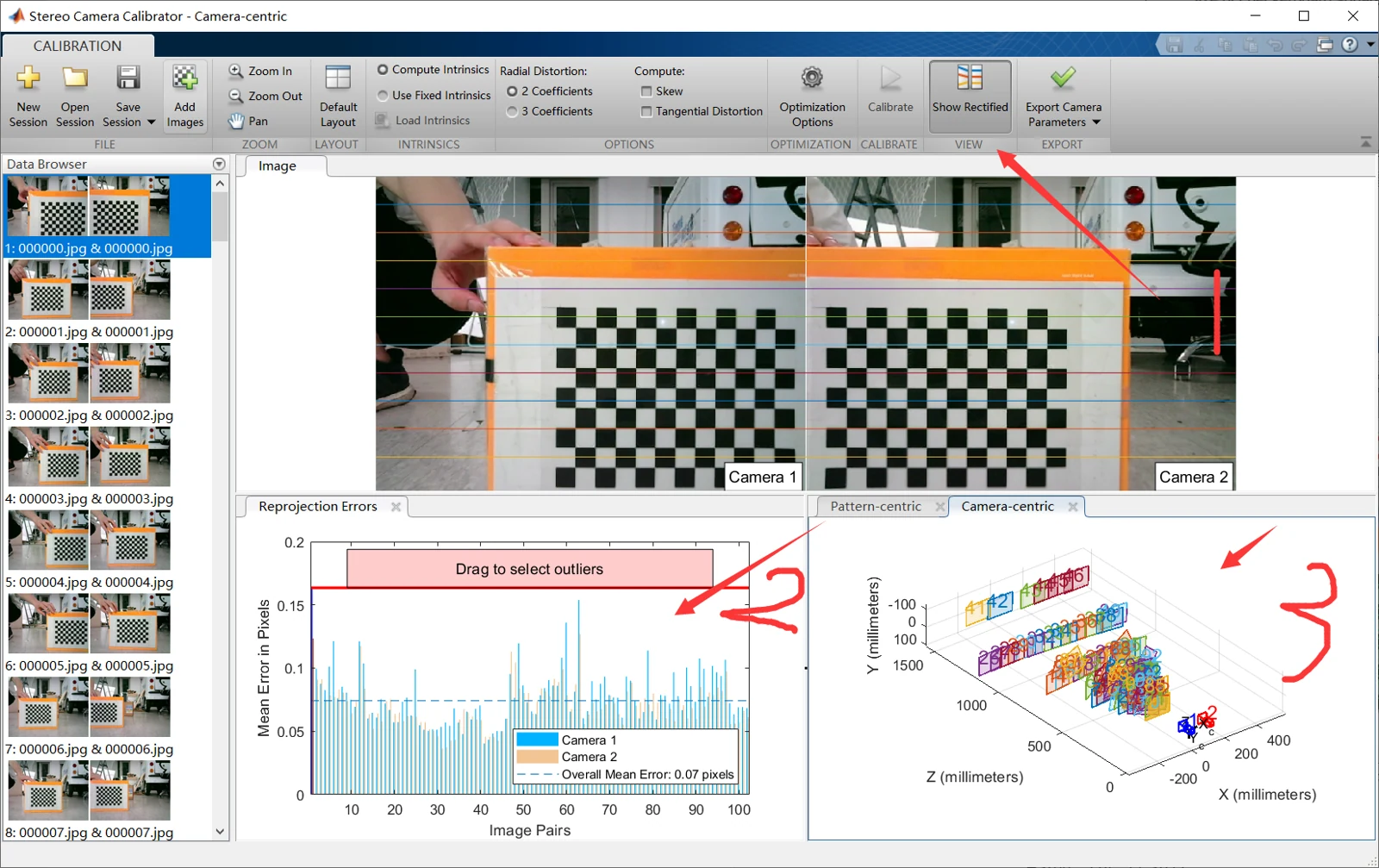
- Check the error for each image pair. Click a pair or drag the red line above the plot to select it, then remove pairs with large errors.
- Examine the distribution of relative poses between the camera and calibration board. A wider variety is better. In the figure, the board appears at different distances and angles, though if it is too far away it may be hard to see.
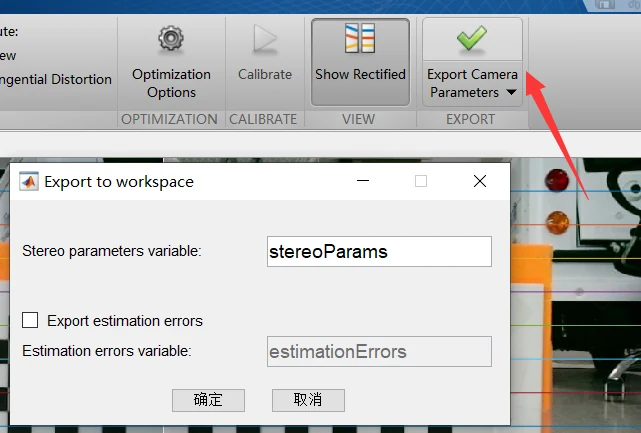
Export and save the parameters. I used YAML, but you can also copy and paste the values by hand; that is more tedious. Some readers may have trouble installing YAML. I won’t cover installation here: download the MATLAB YAML package and add it to the MATLAB path.
% .m文件,保存参数到yaml,注意相机相对位姿取逆
RD1 = stereoParams.CameraParameters1.RadialDistortion;
TD1 = stereoParams.CameraParameters1.TangentialDistortion;
D1 = [RD1(1), RD1(2), TD1(1), TD1(2), RD1(3)];
K1 = stereoParams.CameraParameters1.IntrinsicMatrix';

RD2 = stereoParams.CameraParameters2.RadialDistortion;
TD2 = stereoParams.CameraParameters2.TangentialDistortion;
D2 = [RD2(1), RD2(2), TD2(1), TD2(2), RD2(3)];
K2 = stereoParams.CameraParameters2.IntrinsicMatrix';

size = stereoParams.CameraParameters1.ImageSize;

rot = stereoParams.RotationOfCamera2;
trans = stereoParams.TranslationOfCamera2;
%取逆
T=eye(4);
T(1:3,1:3)=rot;
T(1:3,4)=trans;
T=inv(T);
rot=T(1:3,1:3);
trans=T(1:3,4);

X = struct('K1',K1 ,'D1', D1,'K2',K2 ,'D2', D2,'size',size, 'rot',rot,'trans',trans);
%自己先手动新建一个result文件夹保存
file = 'YOUR_PATH/result/cali_mat.yaml';
YAML.write(file, X ); % save X to a yaml file
X = YAML.read(file); % load X from a yaml file
disp(X)
Load and visualize the results in OpenCV
Compile the code, which depends on OpenCV, YAML, and Boost. You may run into build problems, so it is fine to read the code and write your own version. Though I think it should compile!
Run it with YOUR_PATH. That folder should contain the left, right, and result subfolders, with the YAML file from MATLAB in result:
./cali_mat -d YOUR_PATH
I also included an OpenCV calibration implementation (stereo_calib.cpp) in the repository. Its results did not look good, and I don’t know why yet. Maybe I forgot to invert a matrix somewhere. I stopped looking, haha. If you know, please leave a comment!